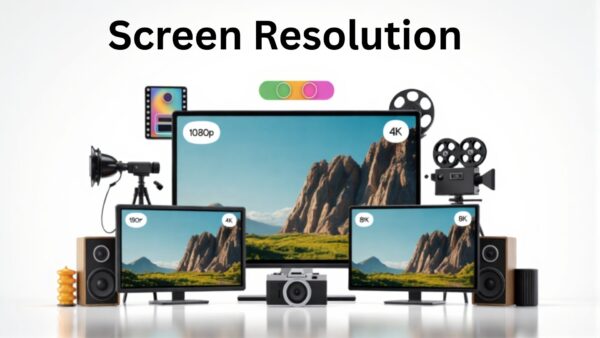
1080p vs 4K vs 8K: Which Resolution Should You Choose?
When buying a new TV, monitor, or projector, one of the first questions you wll face is: 1080p vs 4K vs 8K? Understanding the differences will help you choose the right option.
What Do These Numbers Mean?
-
1080p (Full HD)
-
Resolution: 1920 x 1080 pixels
-
Pixel Count: ~2 million
-
Common in TVs, laptops, and gaming consoles
-
Affordable and widely supported
-
-
4K (Ultra HD)
-
Resolution: 3840 x 2160 pixels
-
Pixel Count: ~8 million (4× more than 1080p)
-
Sharp image and better detail, ideal for large screens
-
Requires stronger hardware for gaming or editing
-
-
8K
-
Resolution: 7680 x 4320 pixels
-
Pixel Count: ~33 million (16× more than 1080p)
-
Extremely detailed images
-
Very expensive and limited content available
-
Pixel Power: Why Resolution Matters
More pixels mean sharper and more detailed images. Here’s a quick comparison:
-
1080p (Full HD)
-
Best For: Small to medium TVs, gaming
-
Pros: Affordable, easy on hardware
-
Cons: Less detailed on large screens
-
-
4K (Ultra HD)
-
Best For: Large TVs, movies, gaming
-
Pros: Crisp image, more detail
-
Cons: Requires more processing power
-
-
8K
-
Best For: Ultra-large screens, professional use
-
Pros: Incredible clarity
-
Cons: Very expensive, limited content
-
On screens smaller than 50 inches, the difference between 1080p and 4K may be subtle. For huge screens, 4K is noticeable, while 8K is mostly for tech enthusiasts or professionals.
Gaming and Streaming Considerations
-
1080p:
-
Works with almost all games and streaming platforms
-
Great for competitive gaming where high frame rates matter
-
-
4K:
-
Offers immersive visuals for movies and story-driven games
-
Streaming platforms like Netflix, Disney+, and YouTube have plenty of 4K content
-
-
8K:
-
Gaming in 8K is rare and requires top-tier graphics cards
-
8K streaming content is still very limited
-
Future-Proofing Your Purchase
-
1080p: Great for budget setups and casual users
-
4K: Sweet spot for most people today; widely available content and hardware
-
8K: Mostly for tech enthusiasts or professionals; mainstream adoption will take years
Conclusion
-
Choose 1080p if you want affordability and simplicity
-
Choose 4K if you want sharp, modern visuals without overspending
-
Choose 8K if you want ultimate clarity and have very large screens
Remember: Resolution is not everything. Screen size, refresh rate, HDR and color accuracy also affect your viewing experience.
Comments
Post a Comment